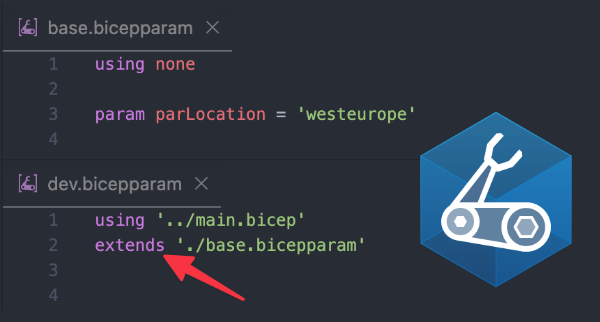
With extendable parameter files, you can define shared parameter values once in a base parameter file. Environment-specific parameter files can inherit these values via the extends keyword and override only the values that are different.
In this blog, you will learn how to use extends and base to deduplicate your Bicep parameter files, override values in specific environment parameter files, and selectively modify objects and arrays without repeating their complete definitions. Additionally, I have added an agent skill that enables an agent to deduplicate parameters for you.
Note! Bicep CLI version v0.44.1 or higher is required to use extendable parameter files.
What are extendable parameter files
When you deploy the same Bicep template to multiple environments, you will usually create a separate parameter file for each environment. For example, you might have dev.bicepparam, test.bicepparam, acc.bicepparam, and prod.bicepparam.
Although some values differ between these environments, many parameters are often identical. Without extendable parameter files, these shared values are usually copied and pasted from development to production parameter files. This creates duplication and increases the chance of configuration drift when one file is updated while another is forgotten.
An extendable parameter file allows you to inherit parameter assignments from a base.bicepparam file. Environment-specific parameter files can inherit those assignments using the extends keyword, like so:
| using './main.bicep' | |
| extends './base.bicepparam' |
The base parameter file uses using none and is not directly associated with a specific Bicep template:
| using none | |
| param parLocation = 'westeurope' | |
| param parSkuName = 'Standard' |
Environment-specific overrides
You can override a parameter by defining it in the extended parameter file. When you use the same parameter name, the value in the extended parameter file takes precedence over the value in the base parameter file:
| using './main.bicep' | |
| extends './base.bicepparam' | |
| // Override from the extended base parameter file (parSkuName = 'Standard') | |
| param parSkuName = 'Premium' |
For primitive values, such as strings, integers, and booleans, you can simply assign a new value. For objects and arrays, assigning a new value replaces the entire object or array. If you only want to modify part of a complex value, use base together with the spread operator.
The base keyword
When you use the extends keyword, the base keyword becomes available in the extended parameter file. It gives you access to the parameter values inherited from the base parameter file. You do not need to use base to inherit a parameter without changing it. Those parameter assignments are inherited automatically.
For example, the following parameter inherits the existing application configuration and changes only the SKU to the ‘Premium’ value:
| param parAppConfiguration = { | |
| ...base.parAppConfiguration | |
| skuName: 'Premium' | |
| } |
The spread operator (...) copies the properties from base.parAppConfiguration into the new object. The skuName property is then overwritten with an environment specific value.
The same principle applies to arrays. You can inherit all existing items and append an additional location:
| param parLocations = [ | |
| ...base.parLocations | |
| 'swedencentral' | |
| ] |
Order of precedence
Bicep follows an order of precedence when determining whether to use a value from the extended parameter file, the base parameter file, or the default value defined in the Bicep template. The order of precedence is as follows:
1: A value in the extended parameter file
A value defined in the extended parameter file, main.bicepparam, takes precedence over values defined elsewhere. In this example, the value used for parSkuType is Premium.

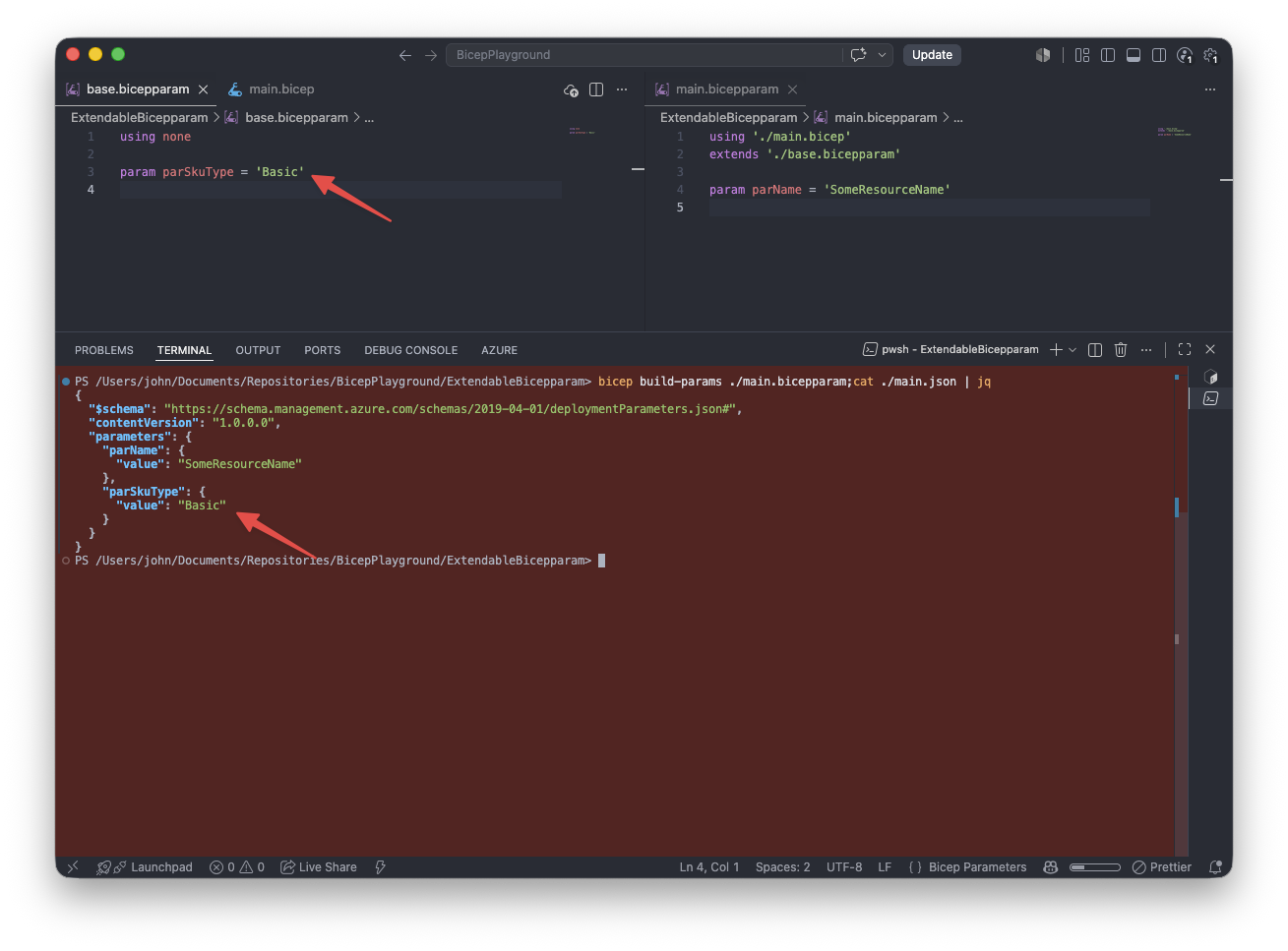
2: A value inherited from the base parameter file
If a value is defined in base.bicepparam but not in main.bicepparam, the value from base.bicepparam is used for parSkuType.
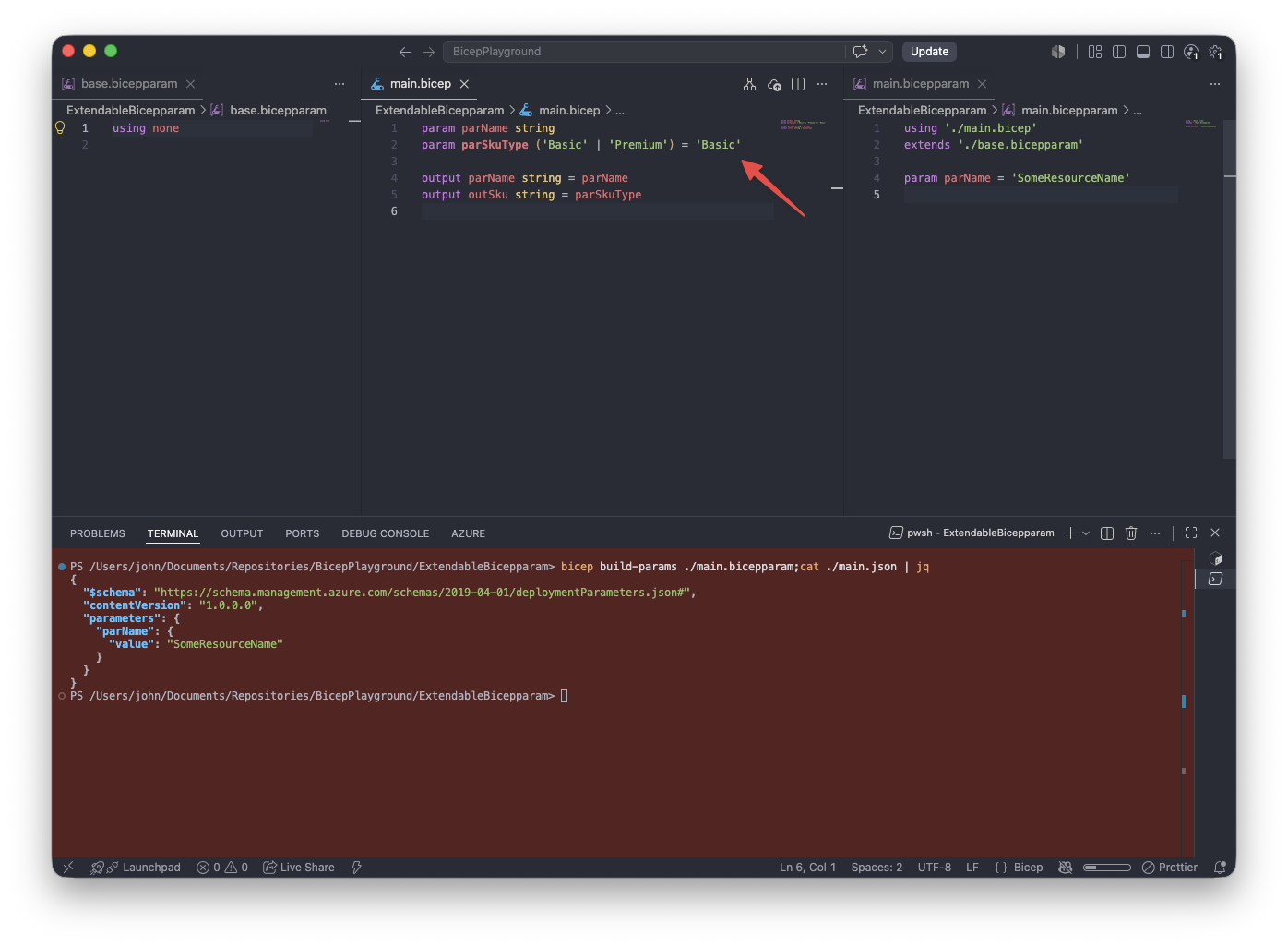
3: A default value defined in the Bicep template
If a value is defined in neither the base nor the extended parameter file, the default value from the Bicep template is used for parSkuType.
Extendable parameters in action
In this example, I demonstrate how to use extendable parameters to deploy Microsoft Foundry models to different environments. The deployments use an object with shared properties, while each environment has its own capacity configuration. To achieve this, I also use the spread (...) operator.
The main.bicep template expects an environment letter, a location, and an array containing the model deployments:
| param parEnvironmentLetter string | |
| param parLocation string | |
| param parModelDeployments modelDeploymentType[] | |
| type modelDeploymentType = { | |
| name: string | |
| modelVersion: string | |
| skuName: string | |
| capacity: int | |
| } |
The shared parameter values are defined in base.bicepparam:
| using none | |
| param parLocation = 'westeurope' | |
| param parModelDeployments = [ | |
| { | |
| name: 'gpt-5.4' | |
| modelVersion: '2026-03-05' | |
| skuName: 'DataZoneStandard' | |
| capacity: 1000 | |
| } | |
| { | |
| name: 'gpt-5.1' | |
| modelVersion: '2025-11-13' | |
| skuName: 'DataZoneStandard' | |
| capacity: 1000 | |
| } | |
| ] |
The development parameter file only needs to define its environment specific value. The location and parModelDeployments array are inherited automatically:
| using './main.bicep' | |
| extends './base.bicepparam' | |
| param parEnvironmentLetter = 'd' |
However, for production, the location, model names, model versions, and SKU names remain the same. However, the capacity of each model deployment must be increased from 1000 to 3000.
The production parameter file accesses each object in the inherited array and uses the spread operator to copy its properties. It then overrides only the capacity property:
| using './main.bicep' | |
| extends './base.bicepparam' | |
| var varCapacities object = { | |
| 'gpt-5.4': 3000 | |
| 'gpt-5.1': 3000 | |
| } | |
| param parEnvironmentLetter = 'p' | |
| param parModelDeployments = [ | |
| for modelProperties in base.parModelDeployments: { | |
| ...modelProperties | |
| capacity: varCapacities[modelProperties.name] | |
| } | |
| ] |
This avoids repeating the model name, model version, and SKU in the production parameter file. When one of these shared properties changes, it only needs to be updated in base.bicepparam file.
Output
You can build the production parameter file as a JSON parameter file to inspect the fully resolved values:
bicep build-params prod.bicepparam
The generated JSON parameter file contains both the inherited values and the production-specific overrides:
| { | |
| "$schema": "https://schema.management.azure.com/schemas/2019-04-01/deploymentParameters.json#", | |
| "contentVersion": "1.0.0.0", | |
| "parameters": { | |
| "parEnvironmentLetter": { | |
| "value": "p" | |
| }, | |
| "parModelDeployments": { | |
| "value": [ | |
| { | |
| "name": "gpt-5.4", | |
| "modelVersion": "2026-03-05", | |
| "skuName": "DataZoneStandard", | |
| "capacity": 3000 | |
| }, | |
| { | |
| "name": "gpt-5.1", | |
| "modelVersion": "2025-11-13", | |
| "skuName": "DataZoneStandard", | |
| "capacity": 3000 | |
| } | |
| ] | |
| }, | |
| "parLocation": { | |
| "value": "westeurope" | |
| } | |
| } | |
| } |
The parLocation parameter is inherited without being specified in the production file. The model configuration also comes from the base file, while the capacity is resolved to the production-specific value of 3000.
Things to know
- Variables, user-defined types, and imported functions can be used in the base parameter file, but they are not available in the extended parameter file.
- A parameter file that uses
using nonecan extend another parameter file that also usesusing none, allowing you to create a chain of parameter files. For example,dev-base.bicepparamcan extend a base parameter file (base.bicepparam) containing global parameters. The.bicepparamfile used for the deployment can then extenddev-base.bicepparam. Essentially, you can chain parameter files like so:base.bicepparam→dev-base.bicepparam→*.bicepparam. - A parameter file can contain only one
extendsdeclaration.
Agent skill: deduplicate-bicep-parameters
If you have many environments, implementing this can be a time-intensive task. This is why I created a skill that can help you speed up and automate the process. The skill operates on the *.bicepparam files provided by the user. The agent identifies duplicate values across the files, extracts them into a base.bicepparam file, and then updates the environment specific parameter files to extend the base file. Always double-check the output after the agent has moved parameters to the base file.
Link to the agent skill: https://github.com/johnlokerse/azure-bicep-github-copilot/blob/main/.github/skills/deduplicate-bicep-parameters/SKILL.md
Below, you can see the skill being invoked by the user in the GitHub Copilot app. It updates the Bicep parameter files, creates the base parameter file, and returns a summary of the actions performed by the agent:
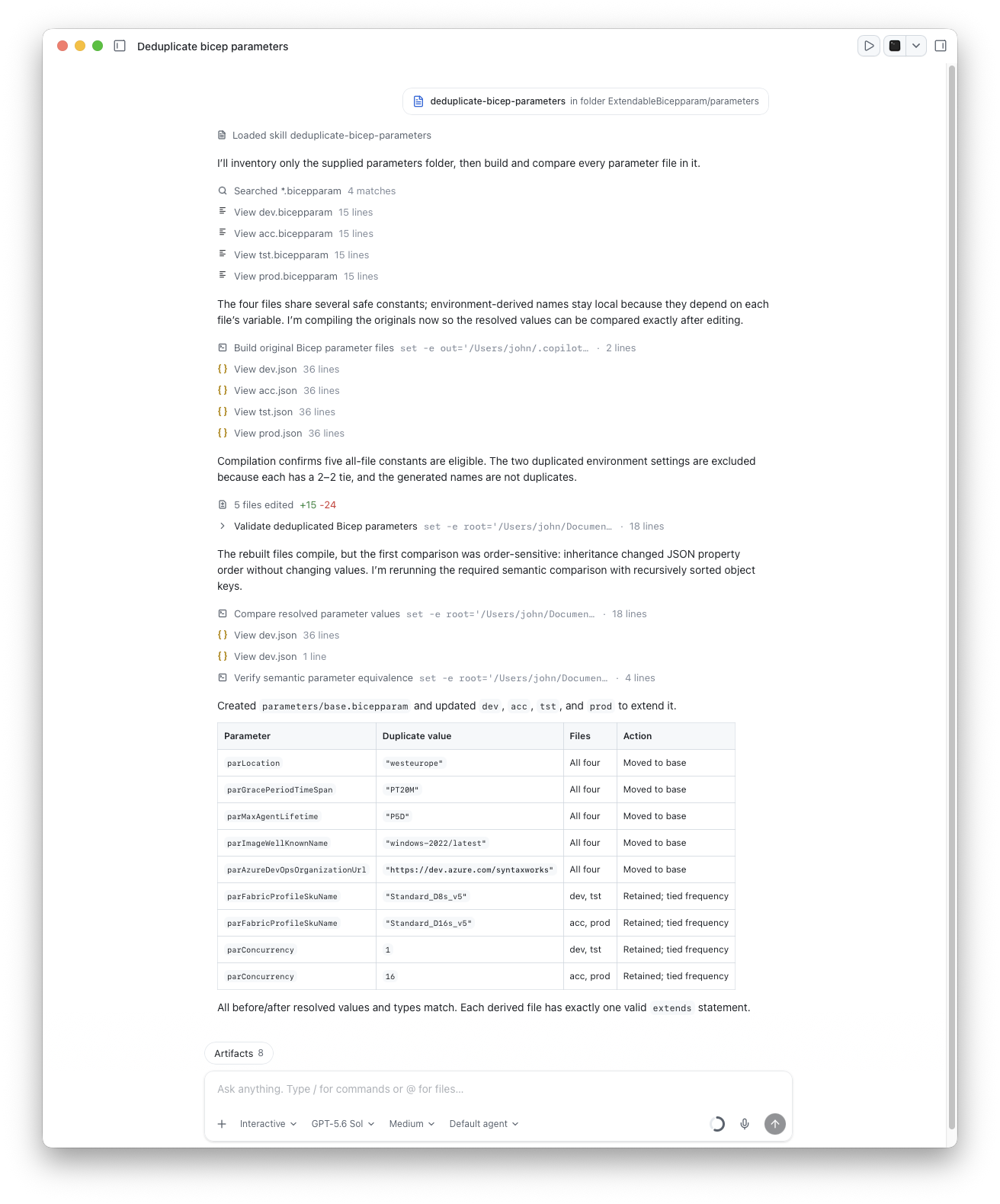
deduplicate-bicep-parameters skill in the GitHub Copilot AppConclusion
This is how you can deduplicate Bicep parameter files. Instead of copying the same configuration into development, test, acceptance, and production parameter files, you can define shared values once in a base parameter file. Using extendable parameter files makes your parameter files easier to maintain and reduces the risk of configuration drift between environments.

