If you have created role assignments in Azure Bicep, you have probably copied role definition GUIDs from Azure or AzRolesAdvertizer into your templates or maintained a mapping between role names and IDs. The latter is great to ease the role definition assignment process, but it adds maintenance and overhead.
Since version v0.42.1, Bicep has a built-in function called roleDefinitions(), which lets you resolve a role definition by its display name. In this blog, you will learn more about this function and how to use it.
The GUID approach
Before looking at the function, let’s start with a familiar example. To reference the built-in Reader role, you can construct its resource ID via the subscriptionResourceId function and parameters with resource API and Reader role GUID:
| targetScope = 'resourceGroup' | |
| resource readerAssignment 'Microsoft.Authorization/roleAssignments@2022-04-01' = { | |
| name: guid(resourceGroup().id, deployer().objectId) | |
| properties: { | |
| principalId: deployer().objectId | |
| principalType: 'User' | |
| roleDefinitionId: subscriptionResourceId('Microsoft.Authorization/roleDefinitions', 'acdd72a7-3385-48ef-bd42-f606fba81ae7') | |
| } | |
| } |
If your templates use several roles, you might create an object that maps role names to their IDs. Every additional role means another entry to maintain. Using a role name instead of a GUID is better for maintainability, and even more so for readability. This is where the function roleDefinitions() comes in handy!
roleDefinitions() function
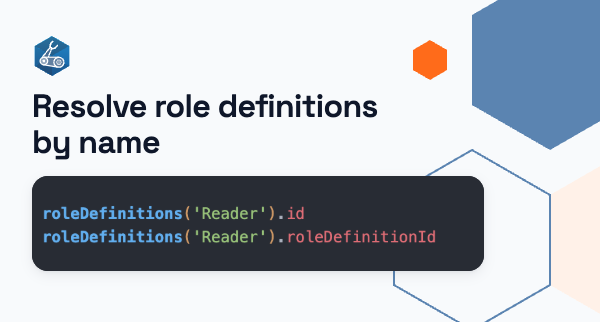
The roleDefinitions function takes a role’s display name and resolves the corresponding role definition at deployment time. The function supports built-in role definitions and also custom role definitions. It takes one parameter roleName, which is the display name of a custom or built-in role. The output of the function is a roleDefinition object, which contains the following properties:
| Property | Description | Example |
|---|---|---|
| id | This is the resource ID of the role definition. | /subscriptions/<subscriptionId>/providers/Microsoft.Authorization/roleDefinitions/acdd72a7-3385-48ef-bd42-f606fba81ae7 |
| roleDefinitionId | This is the GUID of the role definition | acdd72a7-3385-48ef-bd42-f606fba81ae7 |
The Bicep snippet below shows the function being used with the Reader display name as the input, and with the id being used for the roleDefinitionId property:
| targetScope = 'resourceGroup' | |
| resource readerAssignment 'Microsoft.Authorization/roleAssignments@2022-04-01' = { | |
| name: guid(resourceGroup().id, deployer().objectId) | |
| properties: { | |
| principalId: deployer().objectId | |
| principalType: 'User' | |
| roleDefinitionId: roleDefinitions('Reader').id | |
| } | |
| } |
Same role name, different scope
There is one detail to keep in mind: the output of roleDefinitions() depends on the scope where the function is evaluated. The roleDefinitionId of a role will stay the same on each target scope, but the id differs between the management group scope and the subscription/resource group scope.
When you deploy at the resourceGroup, subscription or managementGroup target scope, the id is built from that scope. The resourceGroup and subscription scopes return the same subscription-scoped id, while the managementGroup scope returns a tenant-scoped id. The table below shows the results per target scope:
| Target Scope | Scope of returned id | Example id |
|---|---|---|
| resourceGroup | Subscription | /subscriptions/<subscriptionId>/providers/Microsoft.Authorization/roleDefinitions/acdd72a7-3385-48ef-bd42-f606fba81ae7 |
| subscription | Subscription | /subscriptions/<subscriptionId>/providers/Microsoft.Authorization/roleDefinitions/acdd72a7-3385-48ef-bd42-f606fba81ae7 |
| managementGroup | Tenant | /providers/Microsoft.Authorization/roleDefinitions/acdd72a7-3385-48ef-bd42-f606fba81ae7 |
This is useful because the id building is abstracted away, so you don’t have to do it yourself. The function roleDefinitions() returns the correct id for the current deployment scope, so the same code works at any target scope without hardcoding subscription IDs or management group names.
What happens with a typo in the role name?
The roleDefinitions() function is evaluated at deployment time. This means that when you have a typo in a role name, or when a role is not found, you are not warned by the Bicep linter, by bicep build, or in the editor when using the Azure Bicep extension.
In the case of a typo or a non-existent role name, you will get the following error when trying to deploy:
{ "status": "Failed", "error": { "code": "DeploymentOutputEvaluationFailed", "target": "/subscriptions/<subscriptionId>/resourceGroups/rg-playground-we/providers/Microsoft.Resources/deployments/main", "message": "Unable to evaluate template outputs: 'outNonExistentRole,outTypoError'. Please see error details and deployment operations. Please see https://aka.ms/arm-common-errors for usage details.", "details": [ { "code": "DeploymentOutputEvaluationFailed", "target": "outNonExistentRole", "message": "The template output 'outNonExistentRole' is not valid: Role definition 'A Role That Does Not Exist' not found in metadata.." }, { "code": "DeploymentOutputEvaluationFailed", "target": "outTypoError", "message": "The template output 'outTypoError' is not valid: Role definition 'Reeder' not found in metadata.." } ] }}
Reusable agent skill
If you want an agent to go through your Bicep templates and look for role definition GUIDs, resourceId() functions or hardcoded resource IDs, you can use my reusable Agent Skill convert-role-guids-to-names:
Link to Skill markdown: convert-role-guids-to-names
Conclusion
I think roleDefinitions() is a useful addition to Bicep because it makes the intention of a role assignment visible directly in the code. Additionally, it removes a complexity layer by allowing the user to use a display name rather than a GUID, instead of maintaining your own mapping.

